AUTONEWS
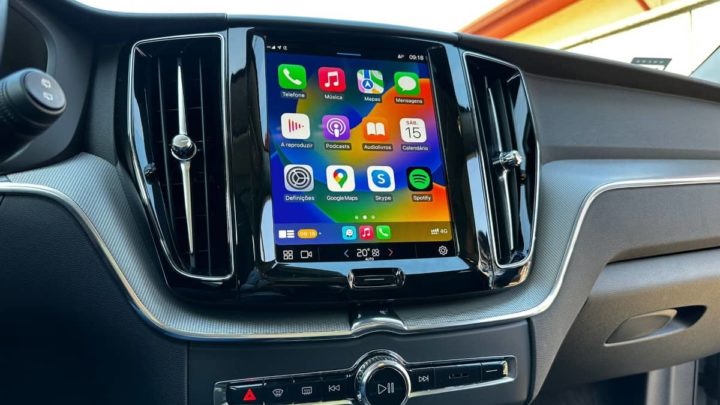
Apple CarPlay: The best tips to get the most out of it
Apple CarPlay is undoubtedly your faithful travel companion, an alternative that more and more brands integrate and that allows you to enjoy your iPhone on the screen of your car, something like what happens with Apple TV and other features of the Apple ecosystem. based on different variants of iOS.
However, CarPlay hides many more features than you can imagine, so We want to teach you the best Apple CarPlay tips and tricks so that you can get the most out of its operation. Get the most out of the extension of your iPhone in your vehicle.
Do you know the Driving Mode?...This is one of the great unknowns of the relationship between Apple CarPlay and your iPhone, among the many default modes that exist, many are unaware of the Driving modea tool that will allow you to focus on the road and ignore any type of distraction that puts your life and that of your passengers at risk.
It is Way Driving it will allow you to silence notifications, customize screens and applications with the intention of focusing all your attention on the road.
To do this, simply go to Modes of Concentration in app settingsif it does not appear among the default ones, press the “+” button in the upper right corner, and you can quickly choose the Driving mode. Once inside you will be able to customize all these functions:
-Mute or exclusively allow notifications based on the contact they came from.
-Only allow calls from those selected people.
-Adjust repeat calls, that is, if the same person calls again in less than three minutes, the call will not be silenced.
-You can customize the lock screen of your iPhone and Apple Watch
-You can set this mode to be set automatically when connected to the car’s Bluetooth, or more importantly, when you activate Apple CarPlay.
These are all the functions of the Driving modea very useful tool to stay alert on the road.
Personalization? Of course!...Although many are unaware of it, the way to view CarPlay in your car is not limited to the first offering that Apple makes. You can modify the wallpaper and the dark mode of the screen in a few simple steps.
To change the wallpaper you must click on the application settings with CarPlay activated, now select the option Wallpaper and it will allow you to choose between one of the available options. Although there are not too many and Apple could expand these alternatives, as it does on the iPhone, iPad or Mac.
The same happens with the well-known dark mode. This is activated automatically either when the vehicle turns on the exterior lights, or when the iPhone determines it according to its own settings. However, you can also open settings in CarPlay, select the option Aspectand choose between display modes.
Also You can customize which apps you want displayed in your car when you use CarPlay. This must be done from your iPhone, go to Ajustes > CarPlay, choose the vehicle you want to customize and the list of applications that you can select and remove from your CarPlay screen will appear. Obviously, you will not be able to delete Phone, Messages, Now Ringing or Settings.
Small news with iOS 17...As you well know, the launch of iOS 17 is imminent, and Apple CarPlay has not been a functionality that has been exempted from novelties. Although they have not been notorious either, and they stay more in the small details:
1-Now three new wallpapers are added to fully customize our CarPlay.
2-Apple Music now adds a SharePlay option that allows everyone in the vehicle to scan a QR code and control music in the car.
3-When sending and receiving messages, the interface is interactive and focus will not be lost on the application that is running at that moment.
4-Apple Maps allows us to check the availability of charging stations in real time.
5-Apple Maps will also allow us to download maps offline from CarPlay itself.
Remember that if you have any doubts about the compatibility of CarPlay with your car, you can consult the site Apple’s website or opt for an easy-to-install external option.
https://www.apple.com/es/ios/carplay/available-models/
Mundoquatrorodas


Nenhum comentário:
Postar um comentário